Spaces
Using Mappedin SDK for iOS with your own map requires a Pro license. Try a demo map for free or refer to the Pricing page for more information.
A Space represents an area enclosed by walls, such as a hall or room. Spaces can be Interactive and have Labels and Markers added to them. Spaces can also be customized with a color and texture.
Spaces Example
The example below loops through all spaces and makes them interactive.
Refer to the Textures & Colors Guide section for more information on how to set the texture or color of a space.
// Set all spaces to be interactive so they can be clicked
mapView.mapData.getByType(.space) { [weak self] (result: Result<[Space], Error>) in
    guard let self = self else { return }
    if case .success(let spaces) = result {
        spaces.forEach { space in
            self.mapView.updateState(space: space, state: GeometryUpdateState(interactivity: .true))
        }
    }
}
Doors
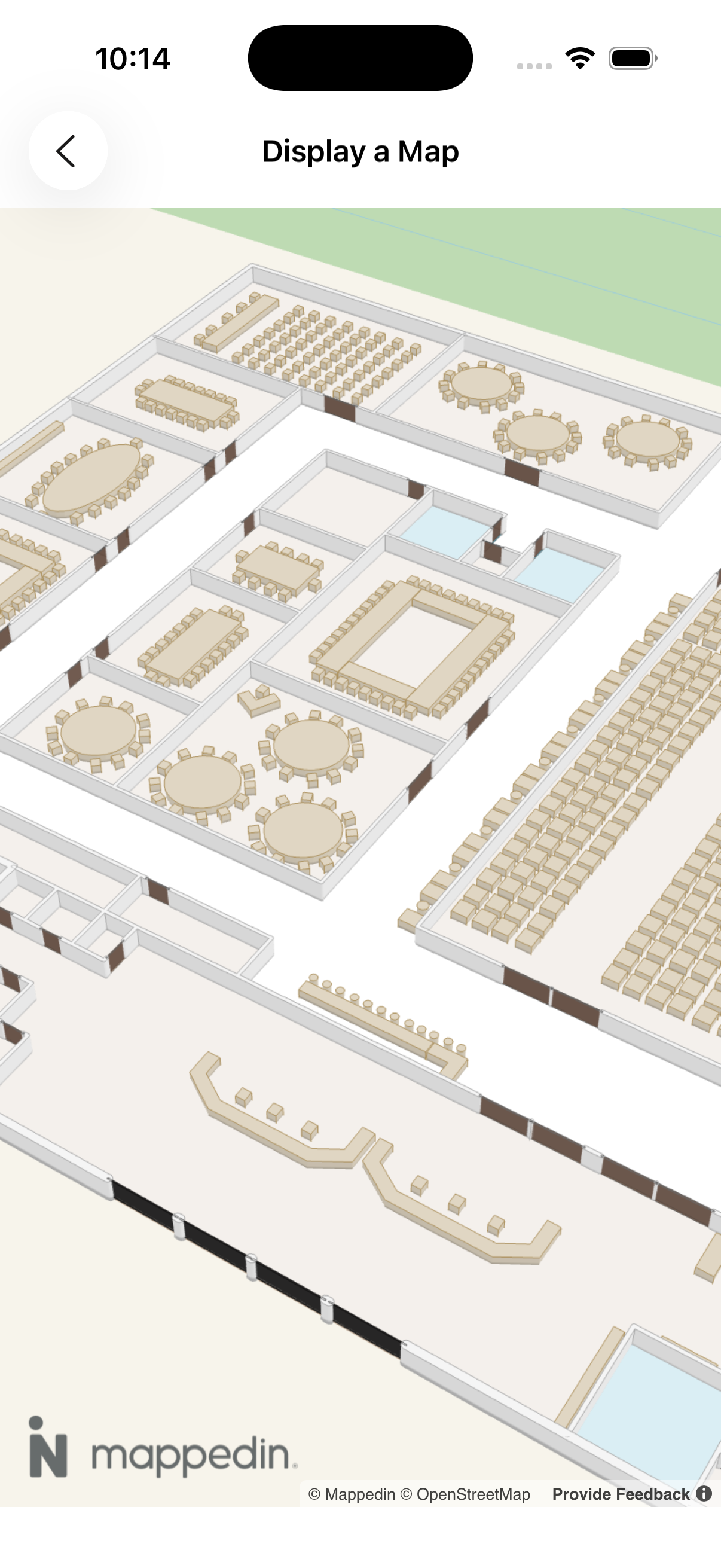
By default, a Door is not visible and drawn as a gap in a wall. An app can set the visible property to true to make the door visible. Other properties of a door can also be set, such as color, texture, interactivity and more. Refer to DoorsState for the complete list of properties. Refer to the Textures & Colors Guide section for more information on how to set the texture or color of a door.
Doors are grouped into DOORS.Interior and DOORS.Exterior doors, based on whether they are on an interior or exterior wall.
// Make interior doors visible and brown.
mapView.updateState(
    doors: .interior,
    state: DoorsUpdateState(
        color: "#5C4033",
        opacity: 0.6,
        visible: true
    )
)

// Make exterior doors visible and black.
mapView.updateState(
    doors: .exterior,
    state: DoorsUpdateState(
        color: "black",
        opacity: 0.6,
        visible: true
    )
)
The screenshot below shows brown interior and black exterior doors with labels added to depict the status of the door.